flowrite
FeaturesPricingChangelog
flowrite

Voice-to-text AI that turns speech into clear, polished writing.

All systems operational

Product

  • Features
  • Pricing
  • Changelog

Legal

  • Privacy Policy
  • Terms and Conditions

© 2026 Lever HQ. All rights reserved.

flowrite
FeaturesPricingChangelog
v0.5.1
April 4, 2026

Reliable Recordings & Smarter Vocabulary

Flowrite now recovers silently from connection problems mid-recording and handles your vocabulary list with much greater accuracy.

Bug Fixes

  • Recordings survive sleep/wake and network drops — Flowrite now reconnects mid-recording and replays buffered audio automatically
  • Always get a transcription, even when the connection fails entirely — Audio is re-submitted via a fallback path instead of showing an error
  • Fixed: red recording dot stuck on screen — The dot now clears correctly after a failed or interrupted stop
  • Fixed: "file type wrong" loop requiring app restart — A single failed recording no longer breaks all subsequent transcriptions
  • Fixed: text injected after pressing Escape — Cancelling a recording now reliably stops the transcription request

Improvements

  • More accurate output for lists, multi-topic dictation, and self-corrections
  • Better vocabulary term recognition — Words in your vocabulary list are now matched phonetically, so the model identifies them correctly even when pronounced slightly differently
  • Faster transcription responses — ~15% reduction in server processing time
v0.5.0
March 30, 2026

Smarter Dictation & Bulletproof Auth

Flowrite now handles professional dictation commands and keeps you signed in reliably, even on flaky connections.

Features

  • Dictation editing commands — Say "scratch that" or "start over" and Flowrite intelligently deletes the right amount of text, just like professional dictation software
  • Automatic session recovery — If your session expires, Flowrite silently refreshes it in the background so you're never interrupted mid-recording

Improvements

  • Smarter AI for smaller models — Optimized system prompts so lighter models produce better results
  • Friendly error messages — Network errors now show helpful messages like "Check your internet connection" instead of cryptic error codes
  • Shorter, more readable paragraphs — Transcriptions now default to 2-3 sentence paragraphs for easier scanning
  • Start sound plays fully before volume duck — The recording start sound no longer gets cut off, especially on AirPods
  • Auth status always visible — The sign-in pill now stays visible when logged out so you can easily sign back in

Bug Fixes

  • Fixed sign-out loop — Resolved an issue where expired sessions could cause repeated sign-out prompts
  • Fixed corrupted audio uploads — Recordings saved during streaming no longer produce corrupted files that fail on retry
  • Fixed OAuth redirects — Sign-in callbacks now work correctly across all deployment environments
  • Fixed history scroll jank — Infinite scroll in recording history no longer flickers or jumps unexpectedly
  • Fixed network sign-out — Temporary network issues no longer incorrectly sign you out
v0.4.5
March 14, 2026

Faster & More Accurate

We've reworked how Flowrite processes your recordings — you'll notice shorter wait times and better results.

Improvements

  • Faster results — Flowrite now starts processing your audio while you're still speaking, so there's less waiting when you stop
  • Reduced latency — The entire recording-to-text pipeline is faster, especially for longer recordings
  • Better transcription quality — Fixed issues that could cause awkward formatting or incorrect cleanup in certain apps and websites
  • More reliable formatting — Transcription output is now more consistent across different writing contexts like emails, docs, and chat
v0.4.4
February 27, 2026

Signed, Smarter, and More Reliable

Flowrite is now code signed and notarized by Apple, so you can install it without Gatekeeper warnings. We also improved transcription quality and fixed paste reliability.

Features

  • Code signed & notarized — Flowrite is now properly signed with a Developer ID and notarized by Apple, so macOS installs are smooth with no security warnings
  • Browser-aware transcription — Flowrite detects what app and website you're in, adjusting tone and formatting to match (emails get greetings, lists stay structured, docs stay formal)

Bug Fixes

  • Paste now works in web apps — Fixed a race condition that caused paste to fail silently in Google Docs, Sheets, and other web apps
  • Paste uses processed text — "Paste last transcript" now correctly uses the cleaned-up, formatted version instead of raw transcription
v0.4.3
February 17, 2026

Transcription Engine

We've upgraded Flowrite's transcription engine with smarter formatting, faster processing, and better reliability.

Features

  • Smart context detection — Flowrite now auto-detects what you're writing and formats it accordingly: emails get greetings and sign-offs, lists stay numbered or bulleted, quotes are properly punctuated, and step-by-step instructions keep their structure

Improvements

  • Faster transcription — Optimized prompts cut processing overhead while maintaining quality
  • Native screen capture — Screen context now uses macOS OCR directly, making it faster and more reliable
  • Cleaner permission flow — Removed redundant custom dialog when requesting accessibility and screen capture permissions; the native macOS prompt now handles it directly

Bug Fixes

  • Fixed server action errors — Resolved 404 errors that could occur when transcribing from the desktop app
  • Improved session reliability — Better token freshness checks prevent unnecessary auth failures
v0.4.2
February 14, 2026

Onboarding & Defaults

We've improved the onboarding experience and set smarter defaults for new users.

Improvements

  • Onboarding resume — if the app restarts during onboarding (common after granting macOS permissions), you now pick up right where you left off instead of starting over
  • Smarter defaults — screen context, silence removal, and volume ducking are now enabled by default for new users
  • Keyboard reliability — keyboard shortcut setup during onboarding is now more reliable, with retry logic for macOS accessibility permission delays
v0.4.1
February 13, 2026

Microphone Permission Fix

We've fixed an issue where the microphone permission prompt wasn't showing up during onboarding on macOS.

Bug Fixes

  • Microphone permission dialog now correctly appears when clicking "Grant Access" during onboarding, instead of silently opening System Preferences
  • Privacy descriptions are now properly included in the app bundle, ensuring Flowrite appears in the macOS Privacy & Security settings
v0.4.0
February 12, 2026

Flows & Screen Context

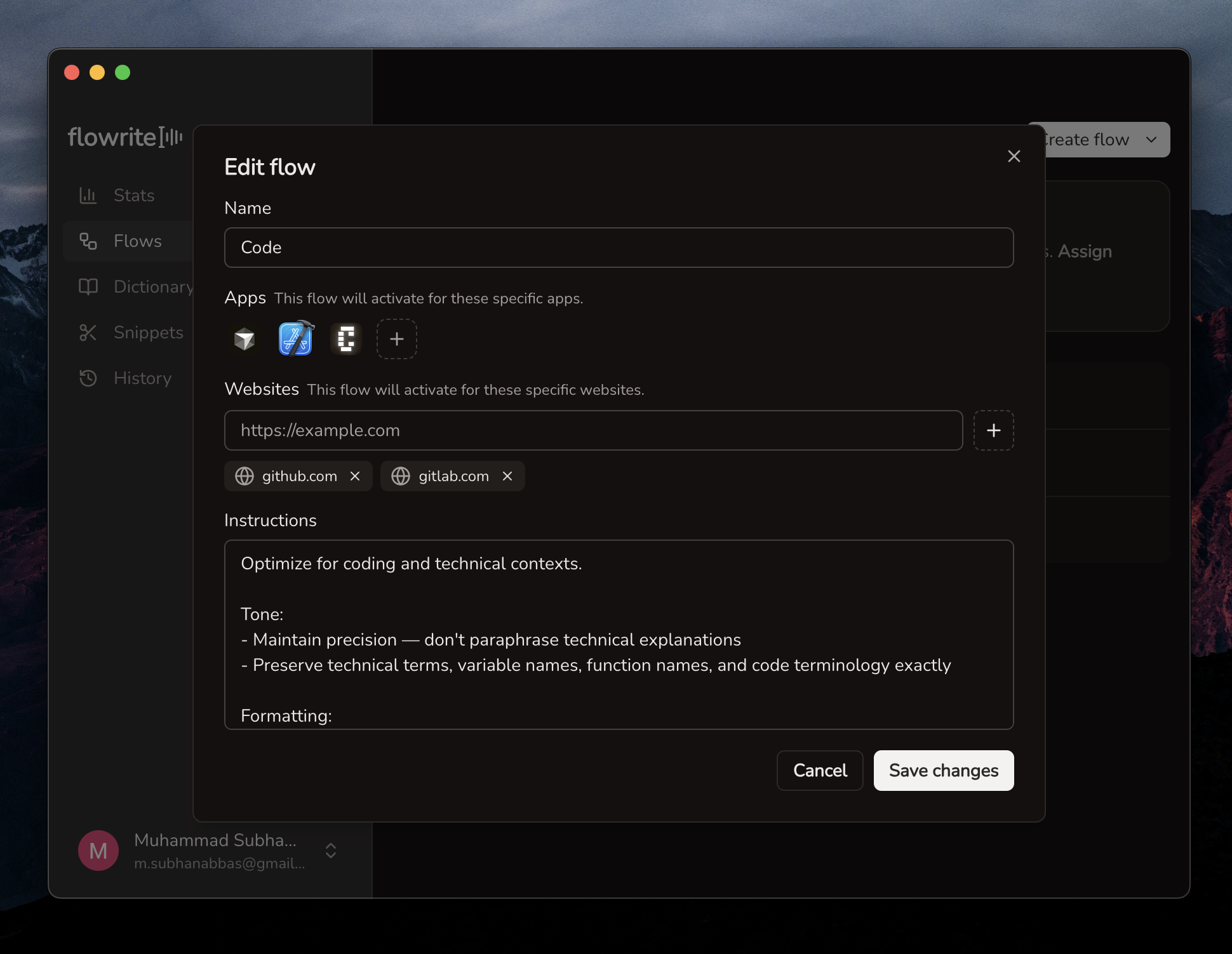
We've added Flows — a way to customize how Flowrite processes your speech depending on which app or website you're using.

Flows editor with app-specific instructions

Features

  • Flows let you create app-specific and website-specific instructions so transcriptions adapt to your context automatically
  • Screen capture context captures what's on your screen to give the transcription model more context for better accuracy
  • Timed auto-hide adds options to the floating panel context menu to automatically hide it after a delay
  • Improved WPM stats now uses actual speech duration (excluding silence) for more accurate words-per-minute tracking
  • Faster transcription with improved speech-to-text speed

Improvements

  • Paragraph breaks in history makes longer transcriptions easier to read
  • Smoother onboarding delays shortcut handlers until the try-it-out step to avoid accidental triggers

Bug Fixes

  • Billing reliability fixes word limit tracking, caching, and error handling
v0.3.2
February 7, 2026

Audio Processing

We've shipped a batch of audio improvements to make recording and transcription more reliable.

Improvements

  • Silence removal automatically trims silent sections from recordings before transcription for faster, more accurate results
  • System audio ducking lowers your system volume while recording to prevent audio bleed into the microphone
  • Faster transcription with more consistent and reliable performance
  • Smaller app size with a significantly reduced application bundle
  • Redesigned onboarding visuals with new illustrations, animations, and polished interactive steps

Bug Fixes

  • Clearer cancellation feedback now clarifies that cancelling stops processing but your recording is saved to history
v0.3.1
February 3, 2026

WPM Stats

We've added words-per-minute tracking to help you understand your dictation speed.

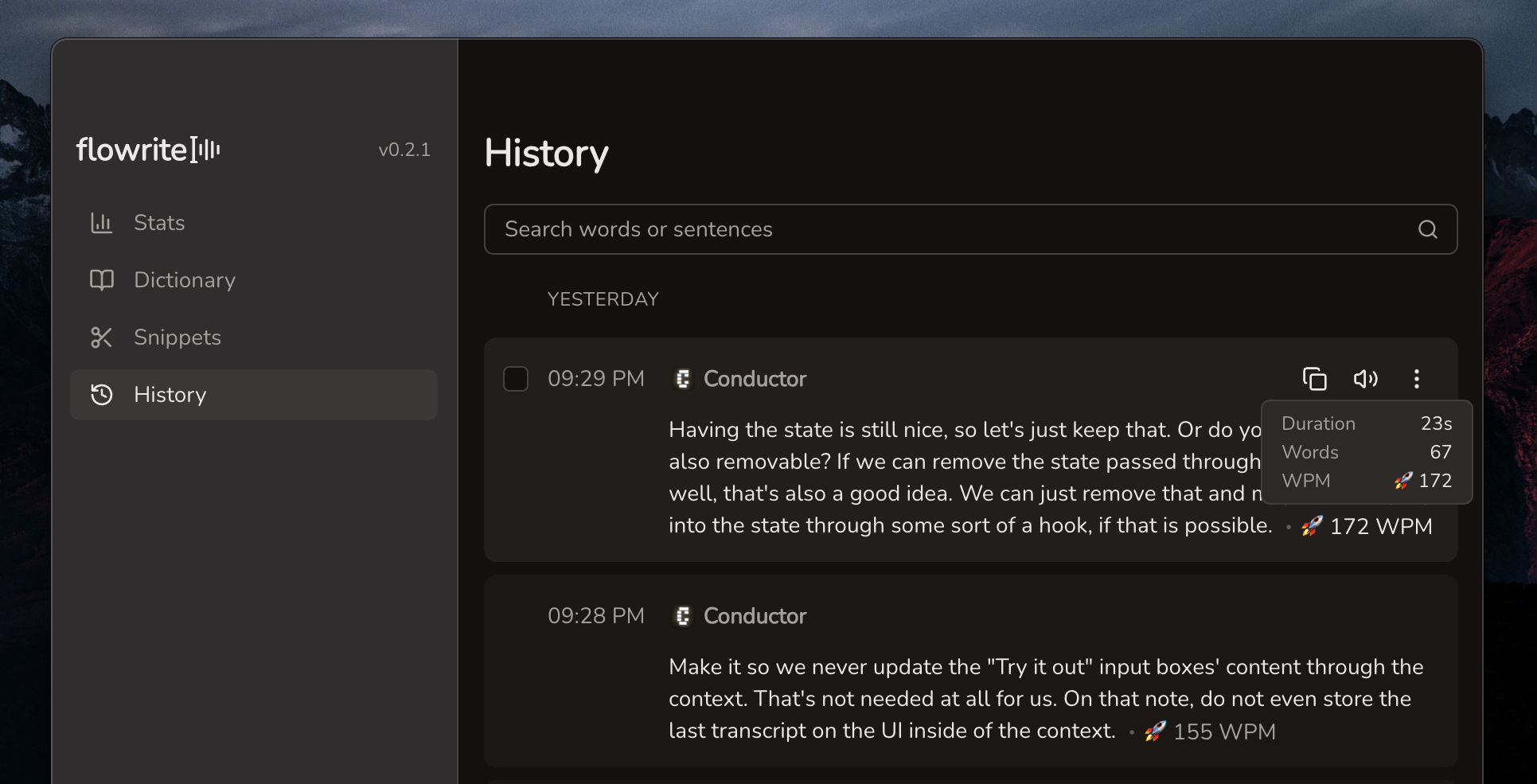
WPM stats displayed in history entries

Features

  • WPM in history shows your words-per-minute for each transcription in your history

Improvements

  • Clearer shortcut naming renames "Activate" to "Push to talk" and "Double-Tap to Toggle" to "Hands-free mode" for better clarity
  • Simplified onboarding shows hands-free mode as an enabled toggle during onboarding instead of a configurable shortcut
v0.3.0
January 31, 2026

New Onboarding Experience

We've completely redesigned the onboarding experience to help you get started faster and understand Flowrite's capabilities at a glance.

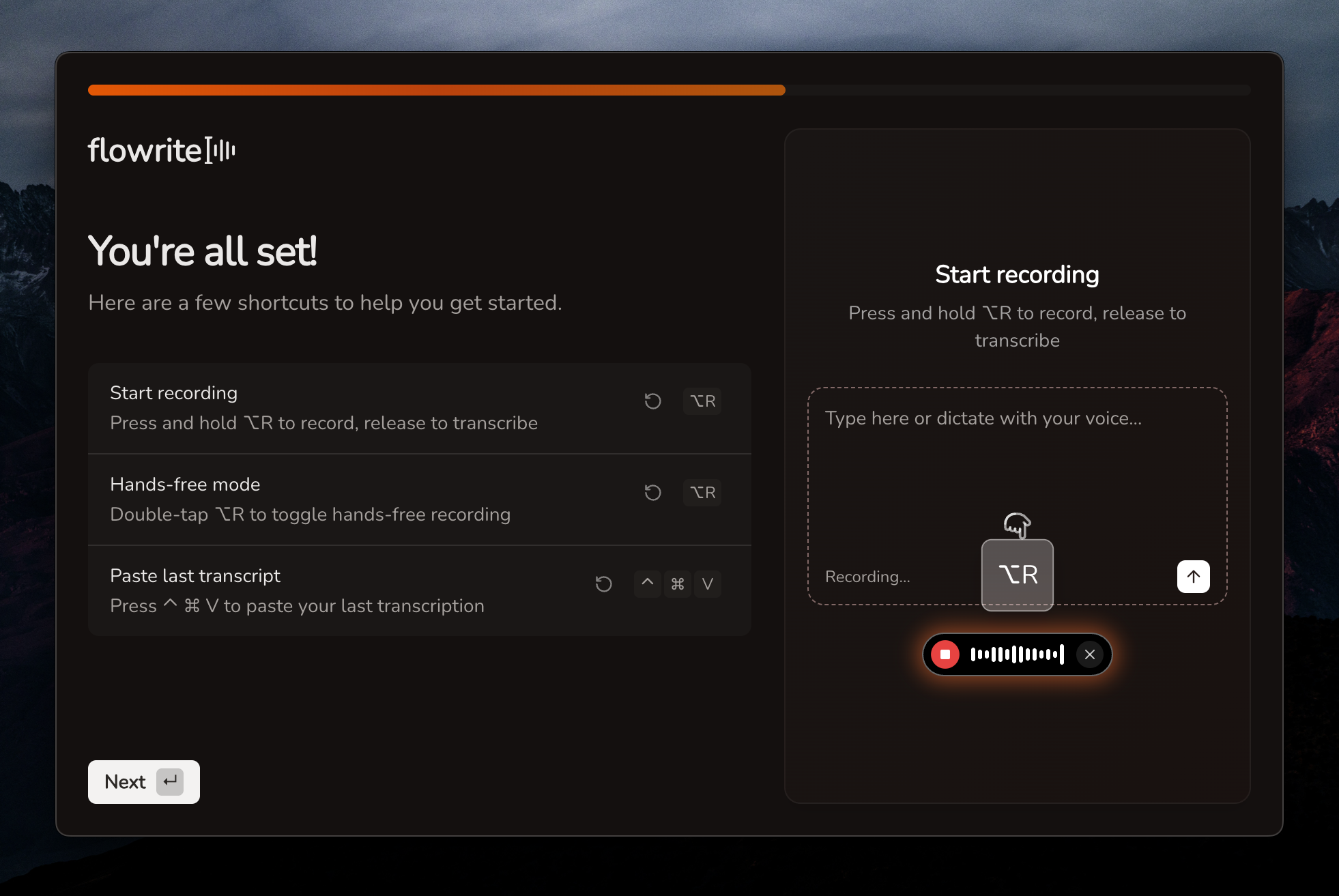
New onboarding experience with interactive try-it-out

Features

  • Interactive try-it-out lets you actually record and see transcription during onboarding with live status feedback
  • Animated shortcuts tutorial shows a visual demonstration of how to trigger recording with your chosen activation key
  • Quick-start defaults mean Flowrite now opens at login and shows the floating bar by default for instant access
  • Double-tap toggle mode adds a new activation pattern for hands-free dictation

Improvements

  • Faster recording start reduces minimum recording time from 1.5s to 500ms
  • Retry cancelled recordings saves cancelled transcripts so you can retry them later
  • Privacy-first messaging clearly assures that your data stays on your device
v0.2.1
January 27, 2026

Settings & Feedback

We've added a few quality-of-life improvements and ways to share your feedback.

Features

  • Dock icon visibility lets you hide Flowrite from your dock for a cleaner workspace
  • In-app feedback survey makes it easy to share your thoughts and help us improve
  • Single entry deletion confirmation adds a safety check when removing individual history items
v0.2.0
January 26, 2026

Stats & Selection

We've added a stats dashboard and improved how you work with your transcription history.

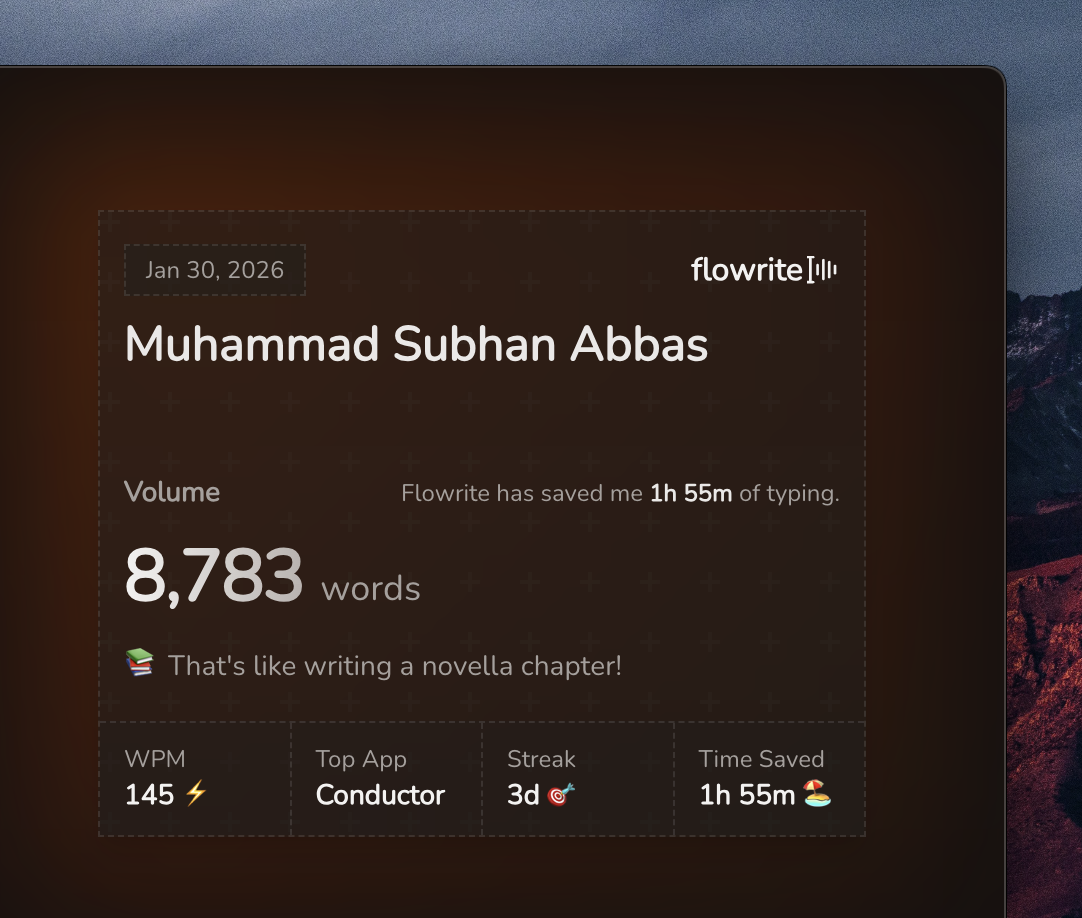
Stats dashboard showing voice-to-text productivity

Features

  • Stats dashboard showing your voice-to-text productivity with a glassmorphism-styled stats card
  • Shift+click range selection in history. Press Escape to clear your selection—perfect for bulk operations
  • Demo mode indicator shows "Dictating with Flowrite" on screen during presentations
  • Focused app tracking ensures your transcribed text always lands exactly where you intended
v0.1.2
January 23, 2026

UX Improvements

A few quality of life improvements to make Flowrite more pleasant to use.

Improvements

  • Human-centric number formatting—say "twenty five dollars" and get "$25"
  • Success sound on completion gives you audio feedback when transcription finishes
  • Confirmation dialogs for destructive actions. Press Delete to quickly confirm
v0.1.1
January 19, 2026

Performance Fixes

We've shipped some performance fixes to make Flowrite feel snappier.

Improvements

  • Cached transcripts eliminate paste lag when injecting text
  • Optimized memory usage for longer dictation sessions
  • Enhanced AI prompts with vocabulary nudging for better transcription accuracy
flowrite

Voice-to-text AI that turns speech into clear, polished writing.

All systems operational

Product

  • Features
  • Pricing
  • Changelog

Legal

  • Privacy Policy
  • Terms and Conditions

© 2026 Lever HQ. All rights reserved.